Roam Food Truck
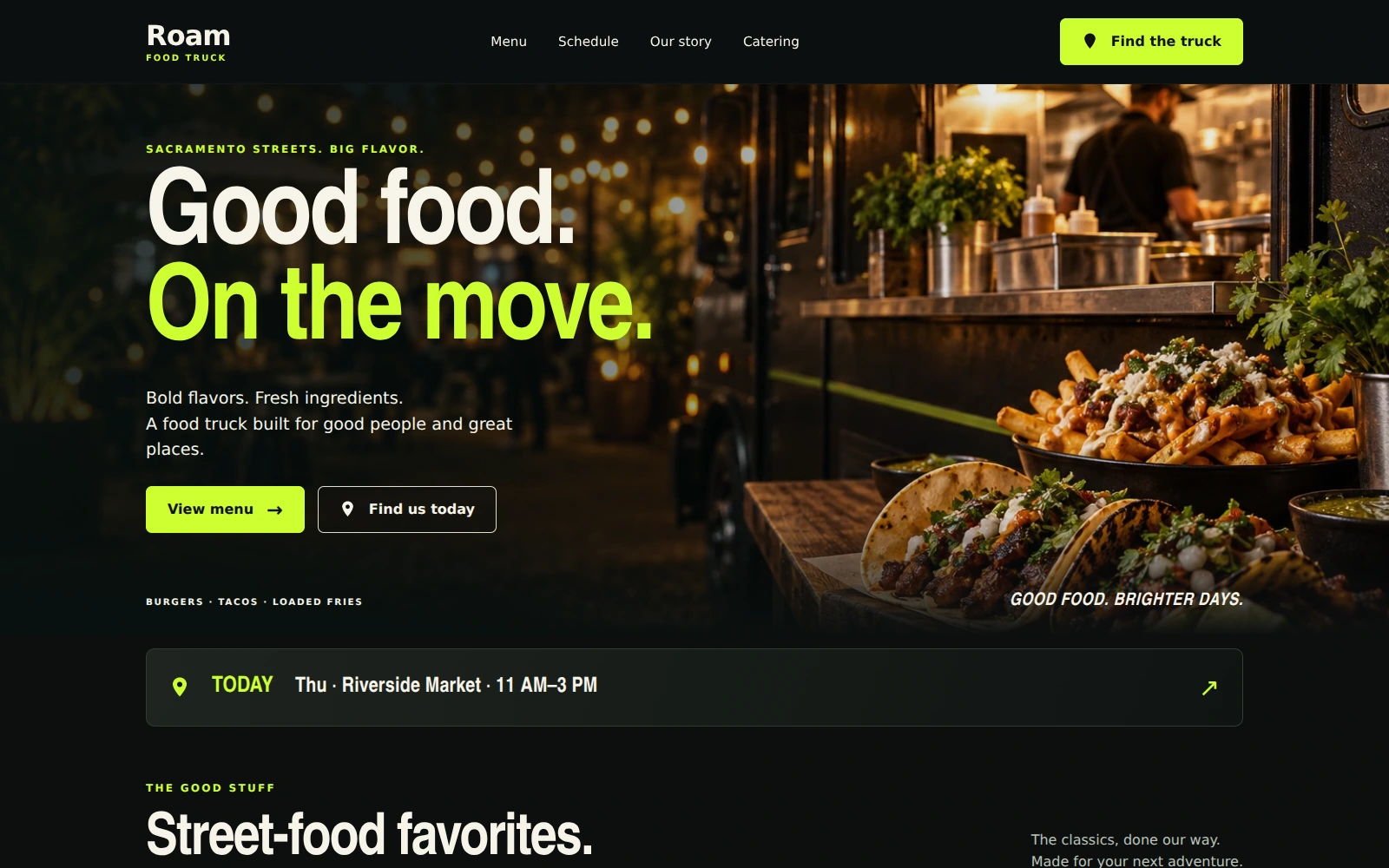
A bold, mobile-first food truck template for sharing your menu, weekly stops, and catering opportunities.
About this template.
Roam Food Truck is a dark, mobile-first Bootstrap 5 template for food truck businesses. Bright lime accents and vibrant food photography put your menu, weekly stops, and catering inquiries within easy reach.
Template features.
A focused food truck website that is easy to edit and make your own.
Included sections.
Organized around the food truck experience: what is on the menu, where to find the truck, and how to ask about an event.
- 01Pinned navigation and editable text branding
- 02Full-width night-market hero
- 03Today or next-stop announcement
- 04Featured menu filters and extras
- 05Weekly schedule with location placeholders
- 06Brand story and food photography
- 07Catering inquiry form and email-draft tools
- 08Find Roam with hours, phone, and email
- 09Frequently asked questions
- 10Footer, Privacy, and Terms of Use dialogs
What’s included.
Editable source files with no build process required.
roam-food-truck/
  index.html
  README.html
  LICENSES.txt
  assets/
    css/style.css
    js/main.js
    images/ (four WebP photographs)
    icons/truck.svg
    fonts/roam-display.otf
    vendor/
      bootstrap.min.css
      bootstrap.bundle.min.js
Technical details
- Framework
- Bootstrap 5.3.3 (local)
- HTML
- HTML5
- CSS
- CSS3
- JavaScript
- Vanilla JS
- Responsive
- Yes
- Fonts
- System Arial; local Nimbus Sans Narrow for headings
- Icons
- Local SVG icons
- Documentation
- Self-contained README.html
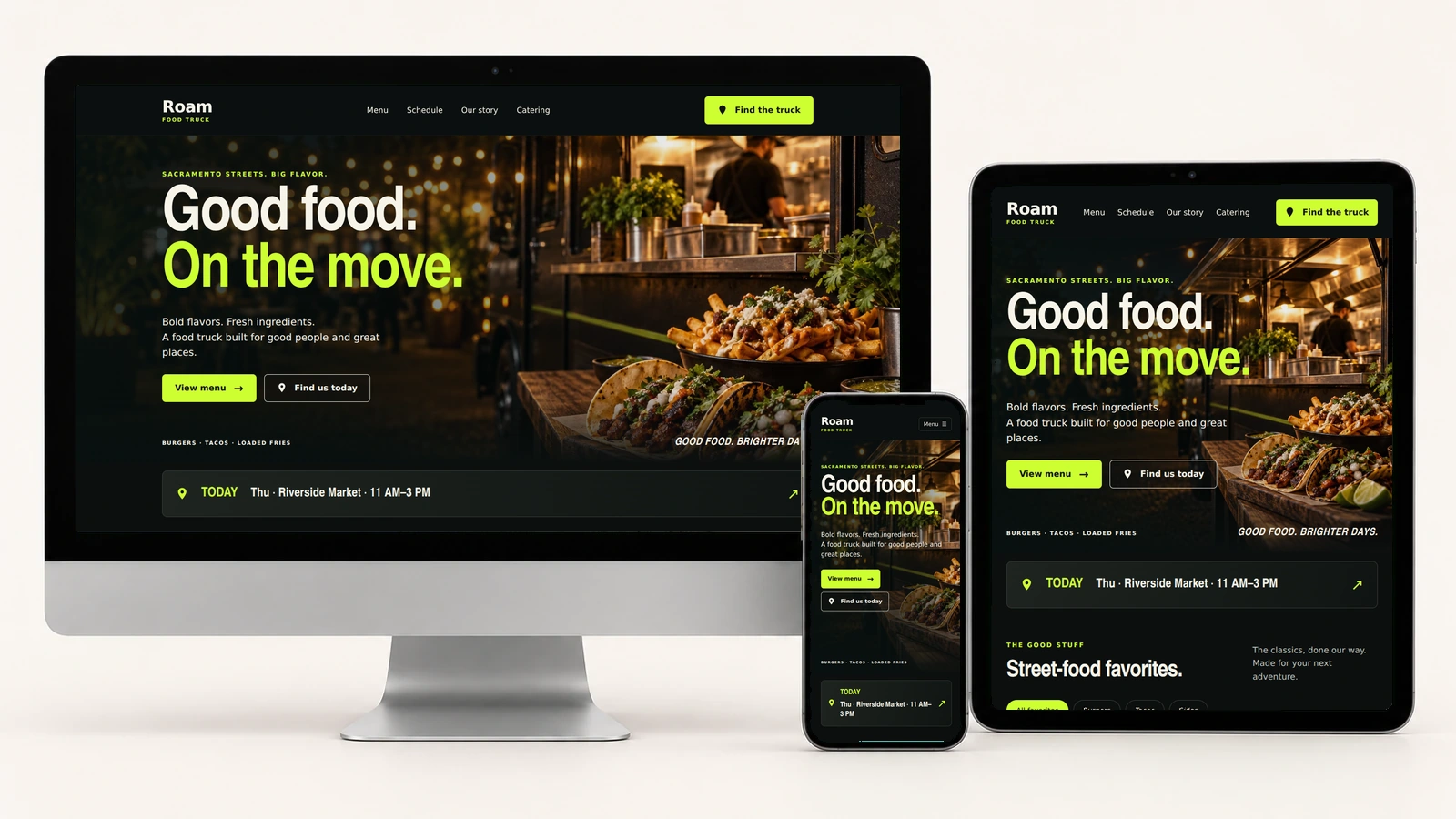
Good food on every screen.
Actual Roam Food Truck screenshots on desktop, tablet, and phone, including the updated text logo.
Easy to customize.
Change the two-line text logo directly in the header and footer HTML. Edit your menu, prices, weekly stops, serving hours, contact details, story, and FAQs in index.html.
Update the weekly-stop data, inquiry recipient, and business timezone in assets/js/main.js. Replace the location placeholders when your trading details are confirmed. Colors and typography are controlled in assets/css/style.css; refresh its version token after changes.
:root {
  --ink: #0c0f0f;
  --surface: #141817;
  --lime: #ceff32;
  --ivory: #f7f4e9;
  --muted: #bdc2ba;
}
Catering inquiries: the “Send Inquiry” button prepares a reviewable email draft. Visitors can copy it or open their email app and send it themselves. The page does not automatically send requests, confirm bookings, place orders, or accept payments.
Perfect for.
License.
Review the current PixelToWeb purchase terms for permitted use and redistribution restrictions. Included dependency and font license notices are provided in LICENSES.txt.
Review licensing informationDocumentation & support.
The self-contained README.html covers quick start, editing the text logo, menus, schedule, location placeholders, photographs, colors, pinned navigation, FAQs, policy dialogs, catering inquiries, and launch preparation. A Back to Template link returns to the landing page.
The form checks required details, email, whole-number guest counts, and past preferred dates using the configured business timezone. Event buttons preserve other entries. Editing invalidates the previous draft, and Reset clears it. The schedule is a repeating weekly pattern, not live truck tracking; requested dates and guest counts are preferences, not confirmed availability.
Use the guide for customization help and contact PixelToWeb with questions about the template or current support terms.
Read documentationGet your food truck ready to roll.
Make the details yours.
Replace the sample menu, prices, fictional contacts, weekly stops, and location placeholders. Use appropriate food photography and accurate ingredient information.
Review your guest information.
Keep serving hours, dietary guidance, FAQs, Privacy, and Terms of Use aligned with your actual practices. No real street addresses, embedded maps, or external directions links are included.
Try the catering inquiry.
Set your recipient and timezone, then test validation, draft preparation, copying, editing, and Reset. Check desktop, tablet, and phone layouts before launch.
Launch with
Roam Food Truck.
Preview the demo, then make the editable source files your own.