Metro Motors
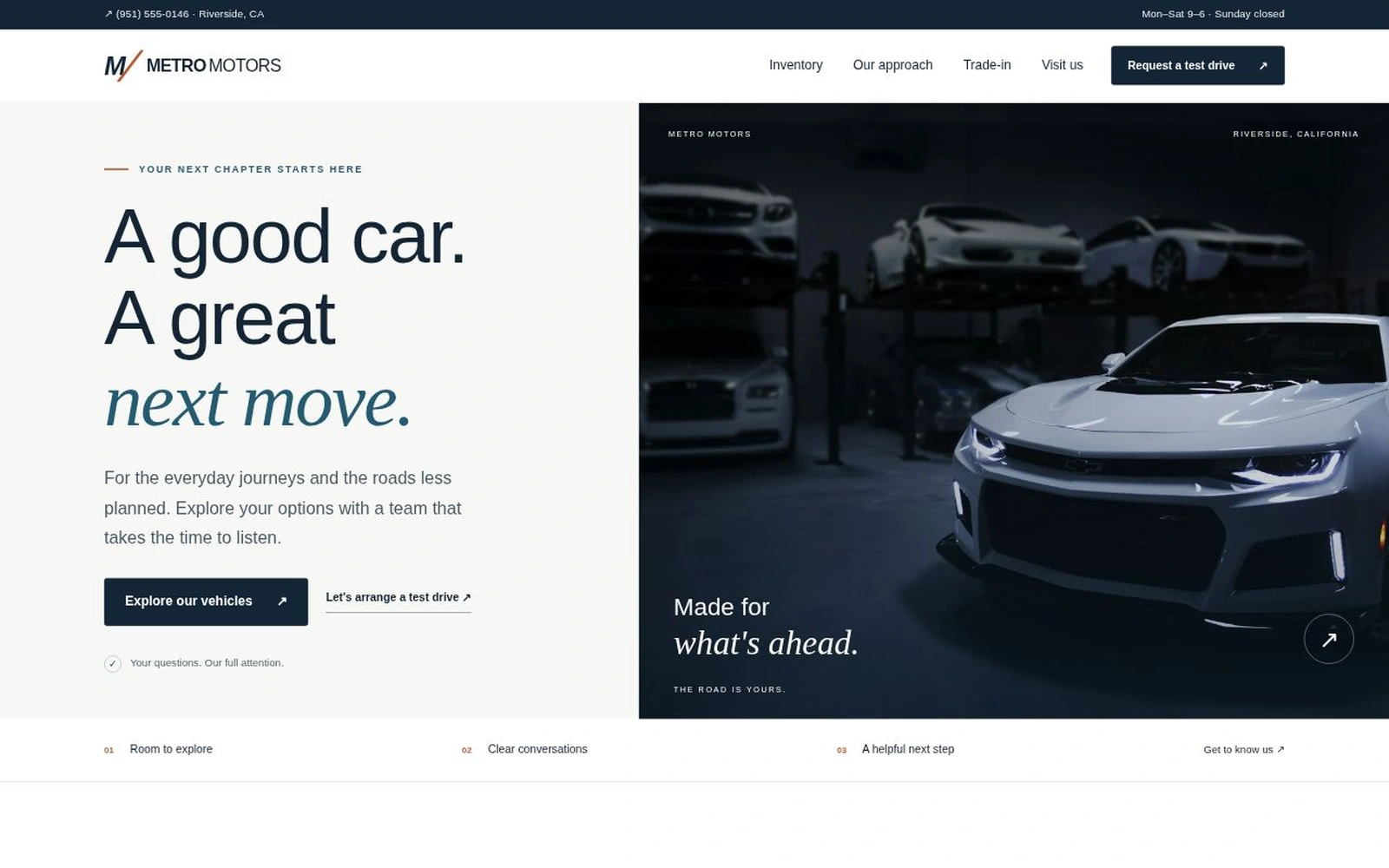
An inventory-led dealership landing page that helps shoppers explore vehicles, compare useful details, and start a test-drive or vehicle inquiry.
About this template.
Metro Motors gives auto dealerships a polished starting point for presenting vehicles and capturing shopper interest. A navy-and-warm-white design pairs searchable inventory, useful vehicle details, and clear inquiry paths with a practical email-draft workflow.
Template features.
A focused shopping experience with editable inventory and useful next steps.
Included sections.
Organized around the questions shoppers ask before choosing a vehicle or arranging a visit.
- 01Pinned information bar and mobile navigation
- 02Vehicle-led hero and inventory actions
- 03Searchable six-vehicle inventory grid
- 04Vehicle details and inquiry preselection
- 05Dealership introduction and approach
- 06Three-step shopping and visit guidance
- 07Trade-in conversation panel
- 08Two editable starter customer quotes
- 09Vehicle/test-drive inquiry and email draft
- 10Eight FAQs, contact details, footer, and policies
What’s included.
Editable files with local dependencies and no build process.
metro-motors/
  index.html
  README.html
  LICENSES.txt
  assets/
    css/style.css
    js/app.js
    images/
      hero.webp
      sedan.webp
      suv.webp
      coupe.webp
      sport.webp
      touring.webp
      crossover.webp
    vendor/
      bootstrap.min.css
      bootstrap.bundle.min.js
Technical details
- Framework
- Bootstrap 5.3.3
- Markup and styles
- HTML5 / CSS3
- JavaScript
- Vanilla JS
- Responsive
- Desktop, tablet, and mobile
- Images
- 7 local WebP photographs
- Inventory
- Editable local JavaScript data
- Documentation
- Styled README.html included
- Build process
- Not required
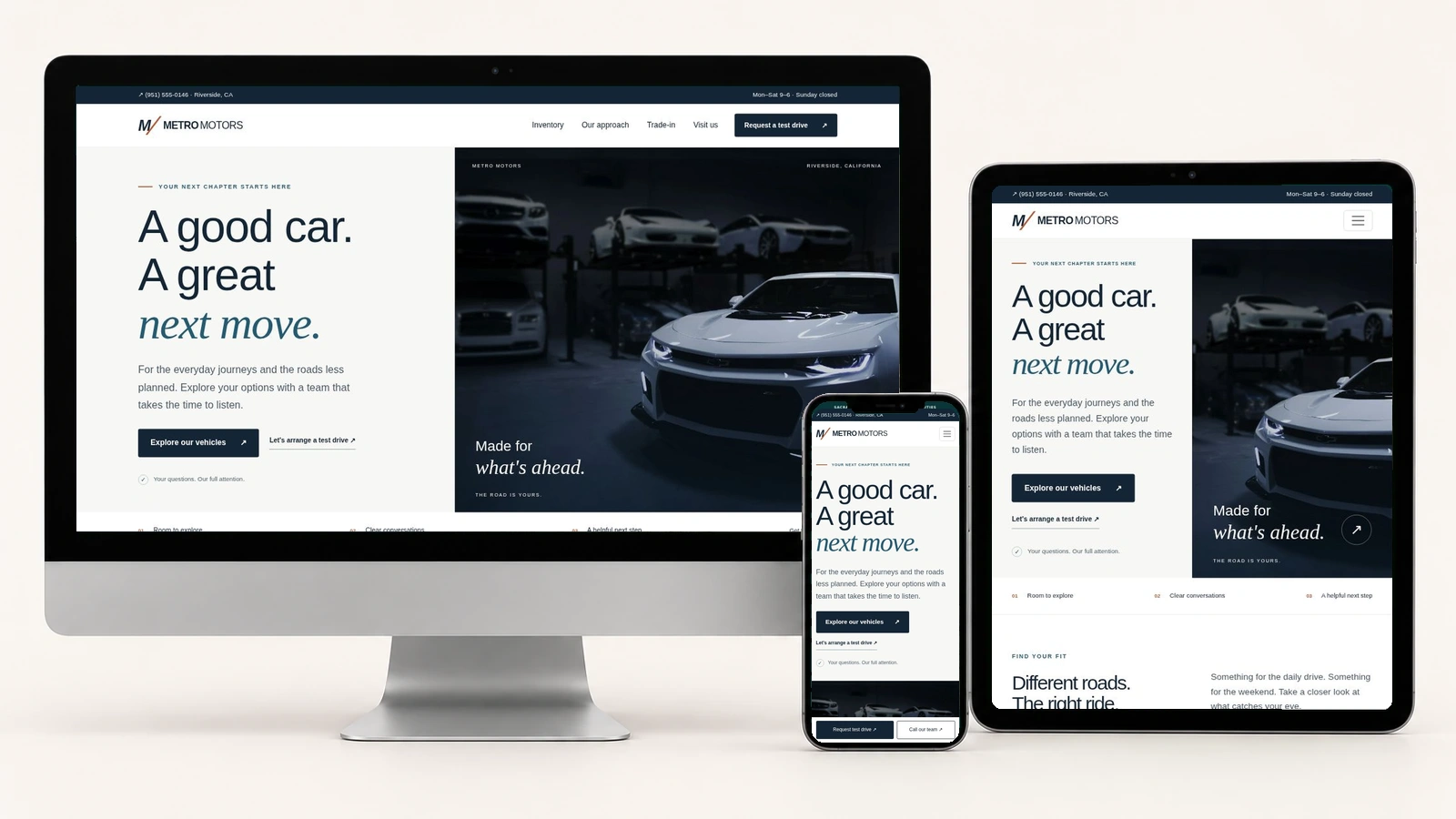
Built for the way shoppers browse.
The approved device preview combines actual desktop, tablet, and phone renders of Metro Motors, including its mobile navigation and fixed test-drive/call actions.
Easy to customize.
Update the name, contacts, hours, dealership copy, trade-in guidance, reviews, FAQs, and policies in index.html. Edit inventory records and the inquiry recipient in assets/js/app.js, and adjust colors, spacing, and responsive styles in assets/css/style.css.
Replace starter vehicle records, photographs, asking prices, mileage, transmissions, and local references with accurate stock information. Replace the two starter quotes with verified, authorized feedback or remove them.
:root {
  --navy: #142536;
  --blue: #245b73;
  --paper: #f7f8f6;
  --muted: #4a5966;
  --copper: #b45b32;
}
Inquiry behavior: the visitor prepares and reviews an email draft, then sends it from their email app or copies the text. Editing invalidates the old draft. Preferred visit dates are requests and require direct dealership confirmation.
Perfect for.
License.
Review the marketplace’s current licensing information for permitted business and client-project use, redistribution restrictions, and applicable purchase terms. Third-party dependency and image notices are included in LICENSES.txt.
Review licensing informationDocumentation & support.
The styled README.html includes a sticky header, sidebar navigation, Back to Template link, package structure, business-content replacement, inventory editing, photo matching, colors, typography, mobile controls, FAQ and policy dialogs, launch checks, and troubleshooting.
The form requires name and email. Phone, vehicle selection, preferred date/time, and a short message are optional. Vehicle Question, Test Drive, Trade-In Question, and General Question pathways share the same reviewable draft flow.
The static template does not submit leads automatically, synchronize live inventory, connect to a CRM, reserve vehicles, approve financing, calculate trade-in values, or confirm appointments. Connect the dealership’s approved services separately if needed. For marketplace questions, contact PixelToWeb.
Make the details your own.
A practical starting checklist for your dealership website.
Replace the inventory.
Match each photograph to verified vehicle details, asking price, mileage, and stock reference.
Update the dealership.
Replace starter phone, email, address, hours, customer quotes, and owner-voice business examples.
Configure the inquiry.
Set the recipient and business timezone. Test draft preparation, email handoff, copy, reset, and direct appointment-confirmation wording.
Review before sharing.
Check policies, complete-price wording, mobile navigation, inventory controls, vehicle dialogs, and all contact destinations.
Find your next move
with Metro Motors.
Explore the template, review the documentation, and make the inventory, photography, dealership details, and inquiry workflow your own.