Flour & Fold
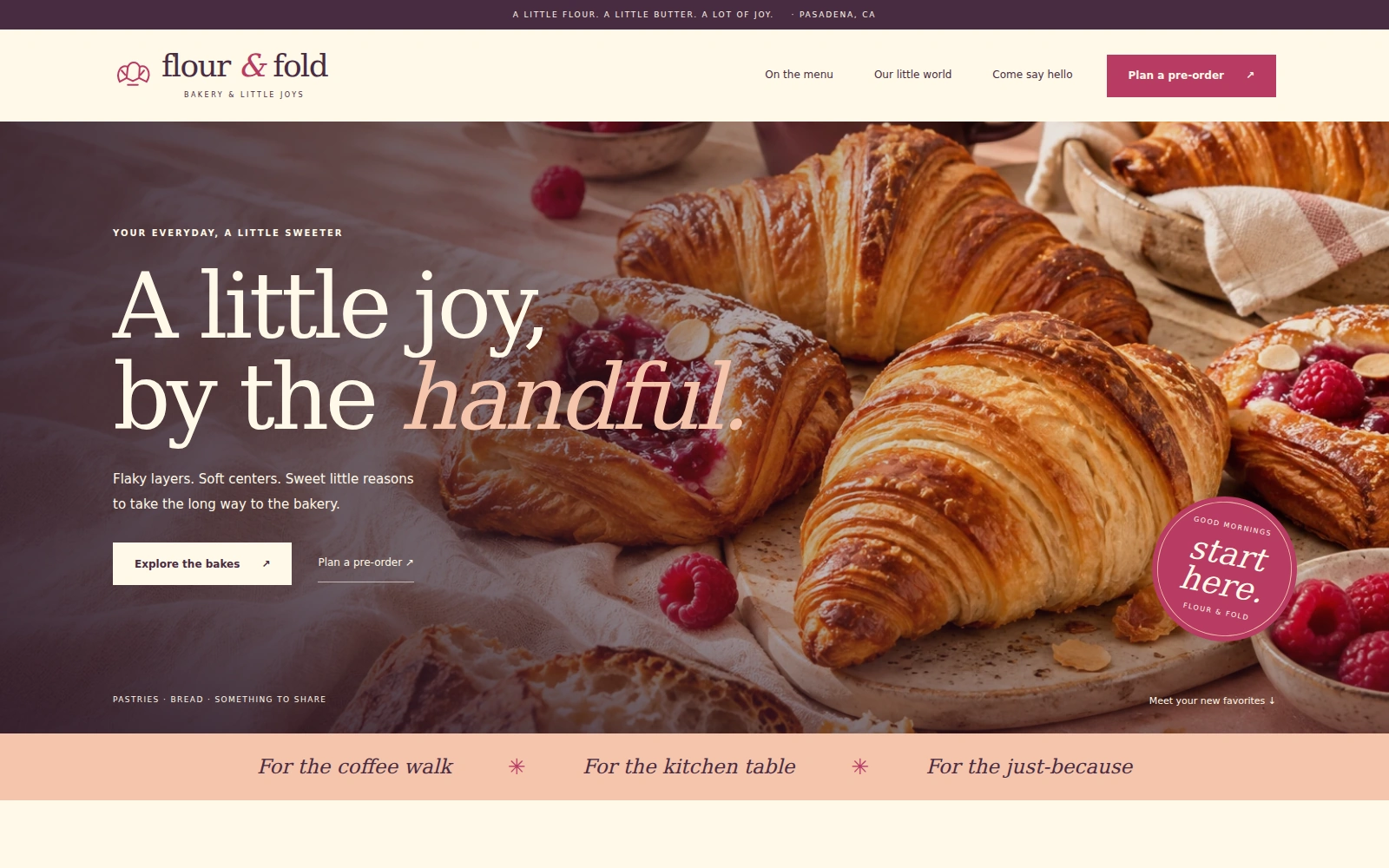
A playful editorial bakery template with inviting product photography, a readable menu, and a simple pre-order inquiry flow.
About this template.
Flour & Fold is a playful, softly styled template for neighborhood bakeries. Its vanilla, raspberry, peach, and plum palette gives your bakes a welcoming home and makes browsing the menu and planning a pre-order feel easy.
Template features.
Bakery presentation and practical tools for pre-order inquiries.
Included sections.
Sections are selected around the needs of a bakery business so the page can be customized without rebuilding its structure.
- 01Announcement strip and sticky mobile-ready navigation
- 02Full-width pastry hero and bakery introduction
- 03Featured raspberry vanilla danish
- 04Filterable bakery menu and sample prices
- 05Sharing-box feature and product preselection
- 06Bakery story and expandable interior photograph
- 07Location, contact information, and opening hours
- 08Pre-order inquiry form and email-draft tools
- 09Frequently asked questions
- 10Footer, Privacy, and Terms of Use dialogs
What’s included.
Editable source files—no proprietary page-builder lock-in.
flour-and-fold/
  index.html
  README.html
  LICENSES.txt
  assets/
    css/style.css
    js/main.js
    images/ (3 WebP photographs)
    icons/ (local SVG files)
    vendor/bootstrap/
      bootstrap.min.css
      bootstrap.bundle.min.js
Technical details
- Framework
- Bootstrap 5.3.8 (local)
- HTML
- HTML5
- CSS
- CSS3
- JavaScript
- Vanilla JS
- Responsive
- Yes
- Fonts
- System serif and sans-serif
- Icons
- Local SVG icons
- Documentation
- Self-contained README.html
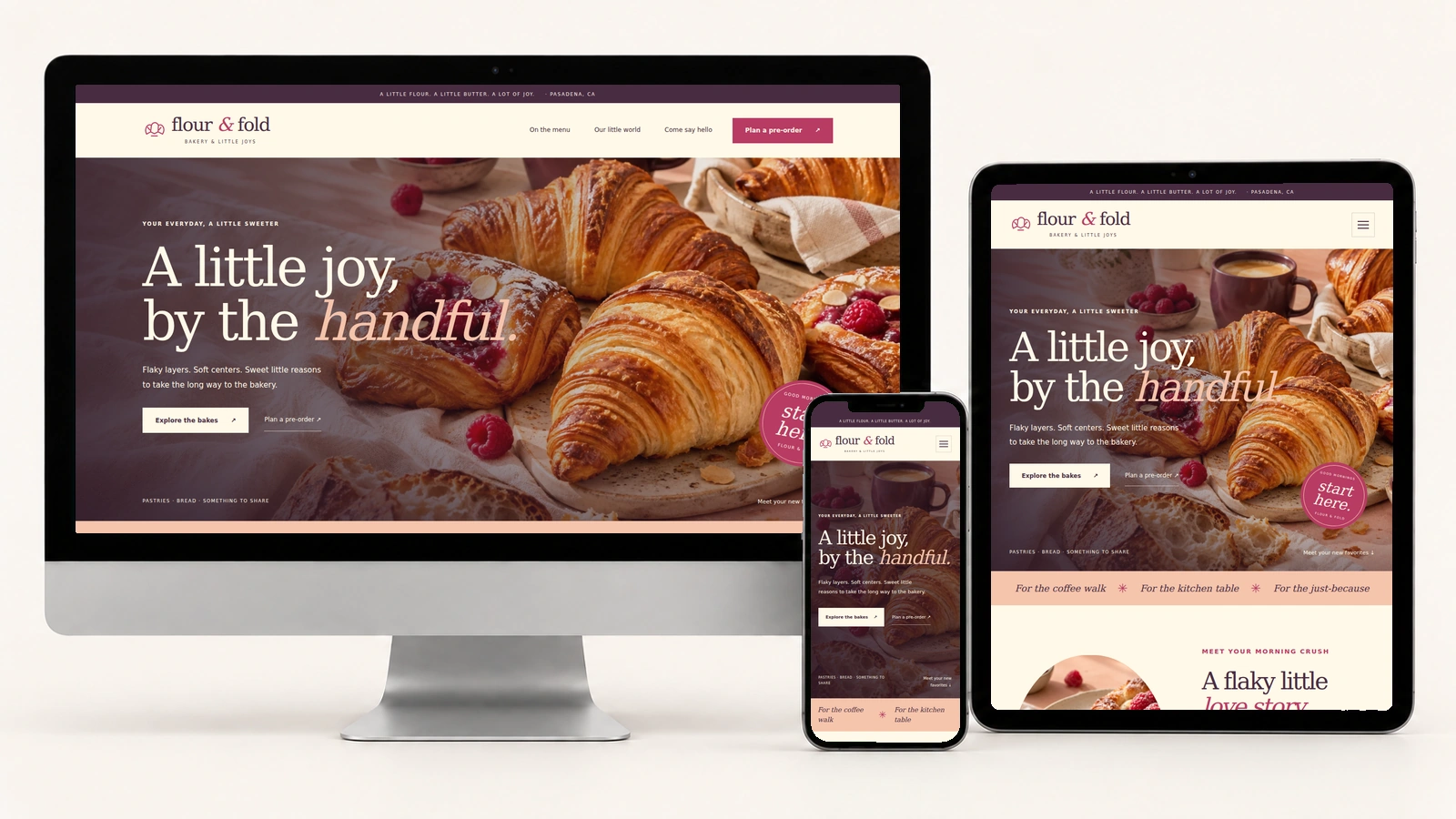
A little joy on every screen.
Actual Flour & Fold screenshots on desktop, tablet, and phone. The bakery menu, photography, and pre-order inquiry adapt to each screen size.
Easy to customize.
Edit your bakery name, story, products, prices, ingredient notes, opening hours, contact details, FAQs, and guest-facing policies in index.html. Update colors, typography, and image cropping in assets/css/style.css.
Replace illustrative food and interior photographs with imagery appropriate to your bakery. Configure the recipient, bakery timezone, lead days, closed weekdays, and quantity limit in assets/js/main.js, keeping the displayed hours and pickup-time choices consistent. Match product preselection values to the form options. Refresh the CSS or JavaScript version token in index.html whenever those files change.
:root {
  --vanilla: #FFF9E8;
  --raspberry: #B83B64;
  --peach: #F5C4AC;
  --plum: #492C42;
}
Pre-order inquiries: visitors review an email draft, open their email app, or copy the message. They send it themselves, and the bakery must confirm availability, pickup arrangements, and final price. The form does not reserve stock, calculate totals, automatically send requests, or take payments.
Perfect for.
License.
Review the current PixelToWeb purchase terms for permitted use and redistribution restrictions. Included Bootstrap and Popper license notices are provided in LICENSES.txt.
Review licensing informationDocumentation & support.
The self-contained README.html explains setup, menu editing, image replacement, colors, navigation, photo dialogs, guest-facing policies, pre-order settings, local dependencies, launch preparation, and troubleshooting. Its Back to Template link opens the landing page.
The form validates required fields, product, whole-number quantity, and preferred pickup date and time. It excludes past dates and Mondays and uses the configured bakery timezone. Editing a field invalidates the previous draft; Reset clears the form and draft. There is no included backend, online ordering, payment processing, or automatic order confirmation.
Use the guide for customization help and contact PixelToWeb with questions about the template or current support terms.
Read documentationGet your bakery ready to launch.
Make the details yours.
Replace the sample menu, prices, fictional contacts, hours, and location. Use accurate photographs and captions, and confirm ingredients and dietary wording.
Prepare your guest policies.
Review Privacy and Terms of Use against your actual practices and any services you add. The README keeps the customization guidance separate from the guest-facing wording.
Try the pre-order inquiry.
Configure your recipient and timezone, then test validation, email drafts, copying, editing, and Reset. Review the page on desktop, tablet, and phone before launch.
Launch with
Flour & Fold.
Preview the complete demo, then use the editable source files as the starting point for your bakery website.