Firestone Pizza
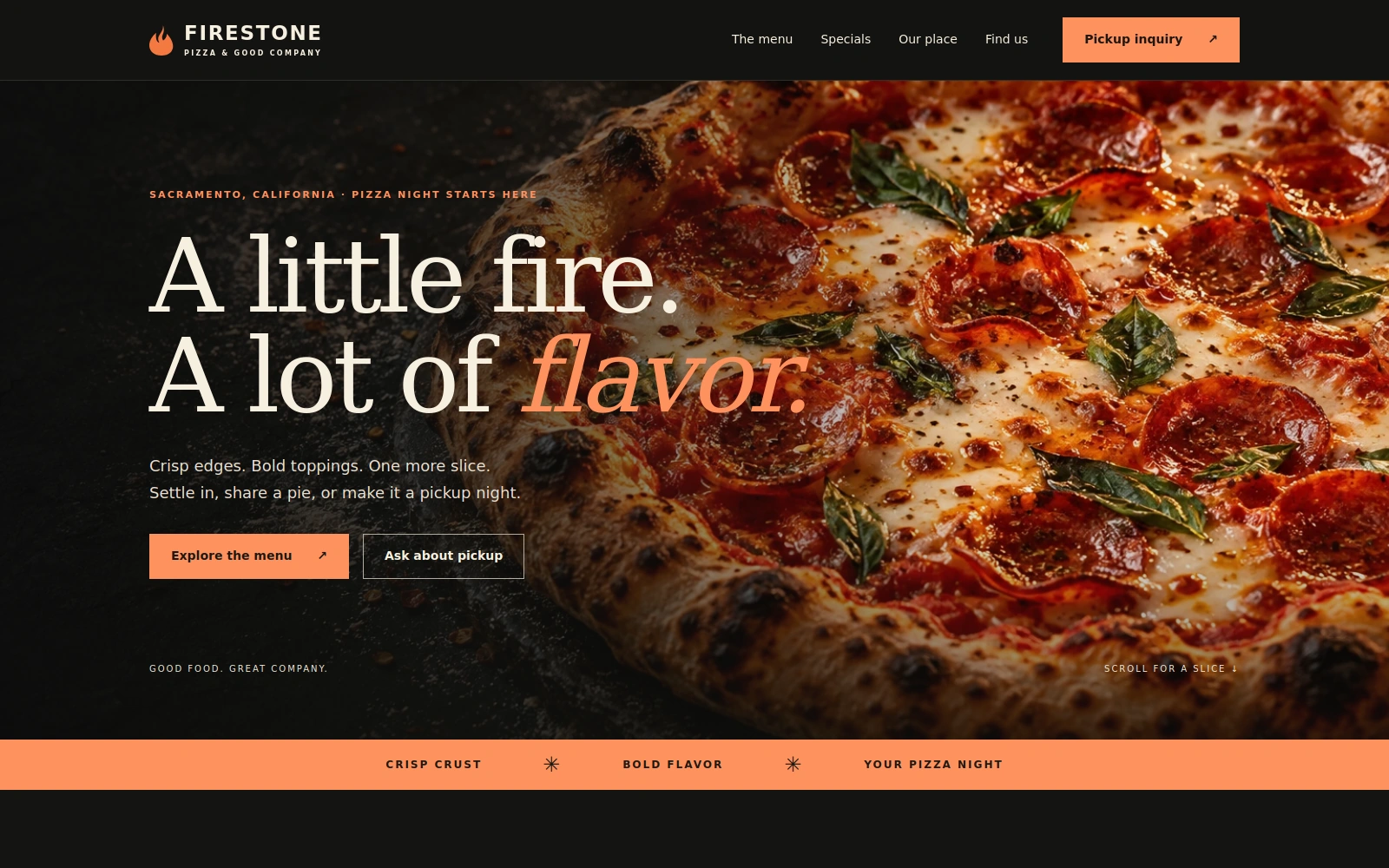
A bold, dark pizza shop template that brings signature pies, specials, and pickup inquiries into focus.
About this template.
Firestone Pizza is a dark, editorial Bootstrap 5 template for pizza shops. Warm ember accents and striking food photography highlight your menu and specials while encouraging pickup inquiries.
Template features.
Pizza shop presentation and practical tools for pickup inquiries.
Included sections.
Sections are selected around the needs of a pizza shop business so the page can be customized without rebuilding its structure.
- 01Pinned, mobile-ready navigation
- 02Full-width pizza hero and pickup inquiry links
- 03Signature Pepperoni feature and pizza-night special
- 04Pizza, sides, and sweet & sips menu categories
- 05Special-inquiry preselection
- 06Restaurant story and illustrative dining gallery
- 07Find Firestone with adjacent hours, phone, and email
- 08Pickup inquiry form and email-draft tools
- 09Frequently asked questions
- 10Footer, Privacy, and Terms of Use dialogs
What’s included.
Editable source files—no proprietary page-builder lock-in.
firestone-pizza/
  index.html
  README.html
  LICENSES.txt
  assets/
    css/style.css
    js/main.js
    images/ (pizza.webp, dining.webp)
    icons/flame.svg
    vendor/
      bootstrap.min.css
      bootstrap.bundle.min.js
Technical details
- Framework
- Bootstrap 5.3.3 (local)
- HTML
- HTML5
- CSS
- CSS3
- JavaScript
- Vanilla JS
- Responsive
- Yes
- Fonts
- System Arial and Georgia
- Icons
- Local SVG icons
- Documentation
- Self-contained README.html
Big flavor on every screen.
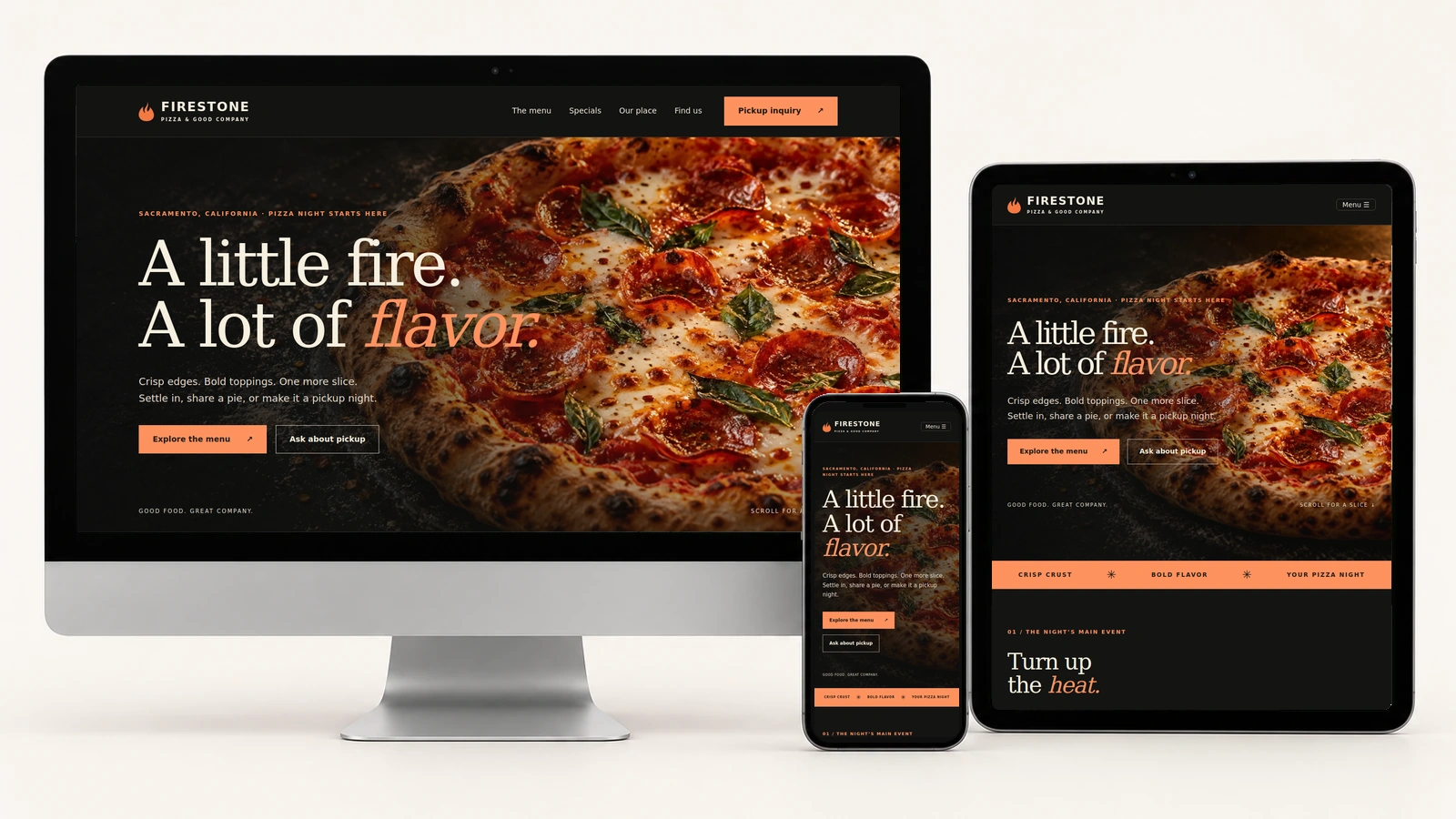
Actual Firestone Pizza screenshots on desktop, tablet, and phone. The pizza menu, specials, and pickup inquiry adapt to each screen size.
Easy to customize.
Edit your pizza shop name, story, products, prices, ingredient notes, opening hours, contact details, FAQs, and guest-facing policies in index.html. Update colors, typography, and image cropping in assets/css/style.css.
Replace the illustrative food and dining photographs with imagery appropriate to your pizza shop. Configure the email recipient and restaurant timezone in assets/js/main.js, and update the visible contact details and time labels to match. Keep the special-inquiry link aligned with its form option. Update the external directions link for your real address. Refresh the affected CSS or JavaScript version token whenever those files change. No embedded map or iframe is included.
:root {
  --bg: #141412;
  --panel: #1e1e1a;
  --cream: #f6efdf;
  --muted: #bdb8a9;
  --fire: #ff925f;
}
Pickup inquiries: visitors review an email draft, open their email app, or copy the message. They send it themselves, and the shop must confirm availability, pickup arrangements, and final price. The form does not reserve stock, calculate totals, automatically send requests, or take payments.
Perfect for.
License.
Review the current PixelToWeb purchase terms for permitted use and redistribution restrictions. Included Bootstrap and Popper license notices are provided in LICENSES.txt.
Review licensing informationDocumentation & support.
The self-contained README.html explains setup, menu editing, image replacement, colors, pinned navigation, guest-facing policy dialogs, pickup inquiries, external directions, local dependencies, launch preparation, and troubleshooting. Its Back to Template link opens the landing page.
The form validates required name, email, message, and preferred pickup date and time. Phone is optional; pizza quantities are entered as message text. It rejects past dates and past same-day pickup times using the configured shop timezone. Editing a field invalidates the previous draft; Reset clears the form and draft. Preferred times are not live availability, and restaurant confirmation is required. There is no included backend, online ordering, payment processing, or automatic order confirmation.
Use the guide for customization help and contact PixelToWeb with questions about the template or current support terms.
Read documentationGet your pizza shop ready to launch.
Make the details yours.
Replace the sample menu, prices, fictional contacts, hours, and location. Use accurate photographs and captions, confirm ingredients, and update the external directions link for your actual address.
Prepare your guest policies.
Review Privacy and Terms of Use against your actual practices, including any external services you add. The README keeps the customization guidance separate from the guest-facing wording.
Try the pickup inquiry.
Configure your recipient and timezone, then test validation, email drafts, copying, editing, and Reset. Review the page on desktop, tablet, and phone before launch.
Launch with
Firestone Pizza.
Preview the complete demo, then use the editable source files as the starting point for your pizza shop website.