Corner Table
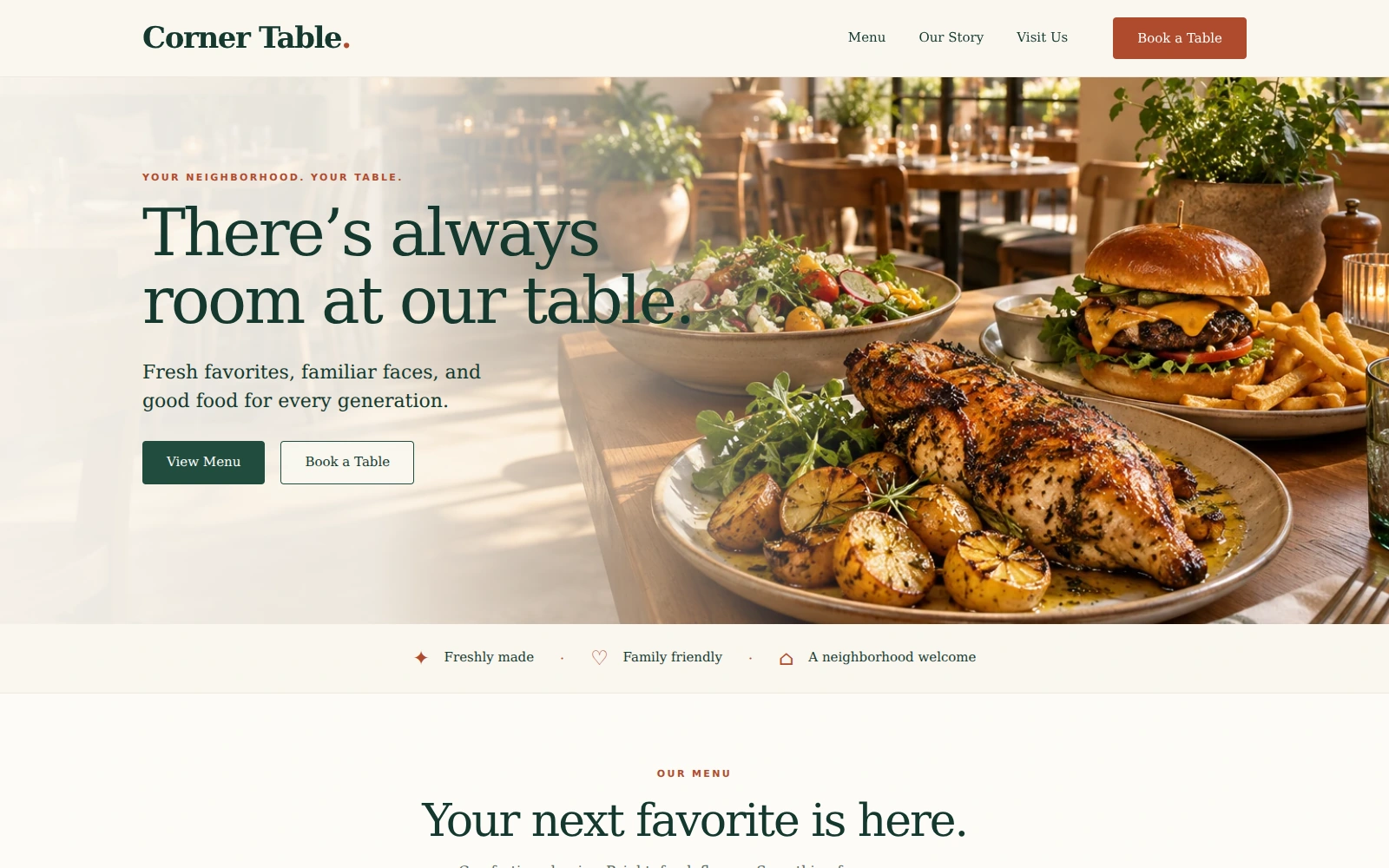
A welcoming restaurant template that brings your menu, neighborhood story, and table inquiries together.
About this template.
Corner Table is a welcoming Bootstrap 5 template for casual-dining restaurants. Warm ivory, forest green, and terracotta set the scene for your menu, neighborhood story, and table inquiries.
Template features.
A friendly dining experience with practical tools for guest inquiries.
Included sections.
Guide guests from the atmosphere and menu to the details they need for planning a visit to your restaurant.
- 01Pinned header and editable text branding
- 02Full-width food and restaurant hero
- 03Neighborhood story and dining-room photograph
- 04Three featured dishes and always-visible menu categories
- 05Visit details and family dining photograph
- 06Reservation inquiry form and email-draft review
- 07Hours, contact placeholders, and general-area map link
- 08Seven detailed dining FAQs
- 09Expanded footer, Privacy, and Terms of Use dialogs
What’s included.
Editable source files with no build process required.
corner-table/
  index.html
  README.html
  LICENSES.txt
  assets/
    css/style.css
    js/main.js
    images/ (six WebP photographs)
    icons/corner.svg
    vendor/
      bootstrap.min.css
      bootstrap.bundle.min.js
Technical details
- Framework
- Bootstrap 5.3.8 (local)
- HTML
- HTML5
- CSS
- CSS3
- JavaScript
- Vanilla JS
- Responsive
- Yes
- Fonts
- System Georgia and Arial
- Icon
- Local SVG favicon
- Documentation
- Self-contained README.html
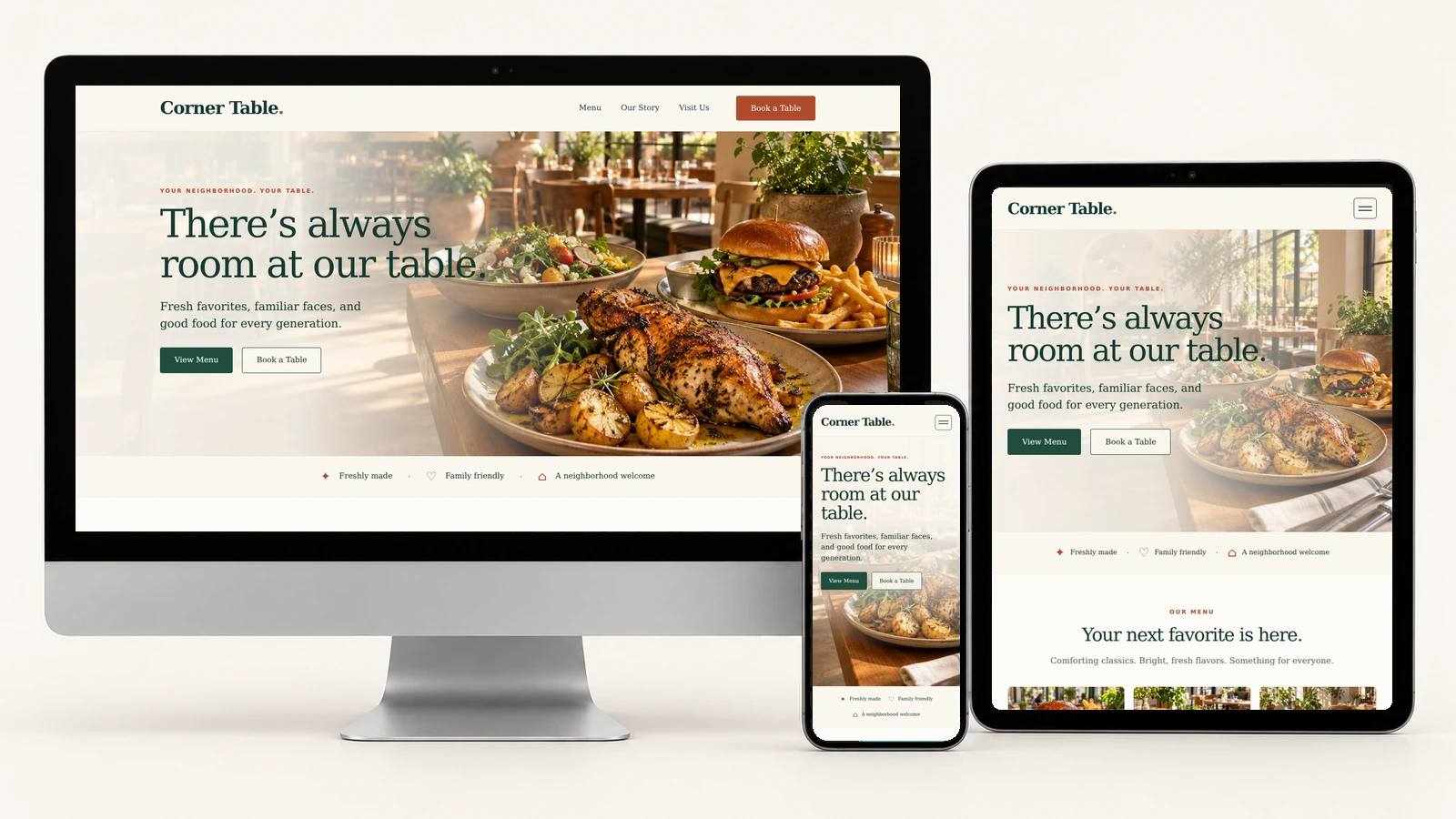
A warm welcome on every screen.
Actual Corner Table screenshots on desktop, tablet, and phone.
Easy to customize.
Rename the plain-text logo in the header and footer. Edit your neighborhood story, dishes, prices, hours, contact details, and FAQs in index.html.
Set the inquiry recipient and business timezone in assets/js/main.js. Adjust colors, typography, and spacing in assets/css/style.css, and update the affected asset version token after changes.
:root {
  --ivory: #faf7f0;
  --ink: #14382e;
  --forest: #214c3e;
  --rust: #af4b2e;
  --muted: #58665d;
  --line: #dedfd5;
}
Reservation inquiries: “Send Inquiry” prepares a reviewable email draft. Visitors can copy it or open their email app and send it themselves. The page does not automatically send messages, confirm reservations, show live availability, accept orders, or process payments.
Perfect for.
License.
Review the current PixelToWeb purchase terms for permitted use and redistribution restrictions. Included dependency notices are provided in LICENSES.txt.
Review licensing informationDocumentation & support.
The self-contained README.html covers setup, text branding, neighborhood story, menu categories, photographs, contact placeholders, colors, pinned navigation, FAQs, policy dialogs, inquiry settings, and launch preparation. The guide also covers the permanently visible menu, family photo beneath “Pull up a chair,” expanded FAQs, and footer links. A Back to Template link returns to the page.
The form validates required fields, email, whole-number guest counts, and past preferred dates in the configured business timezone. Group-gathering preselection preserves other entries. Editing clears a previous draft, and Reset clears the form. Preferred times are not checked against service hours or live availability; all arrangements require restaurant confirmation.
Use the guide for customization help and contact PixelToWeb with questions about the template or current support terms.
Read documentationPrepare for your first guests.
Make the details yours.
Replace the sample menu, hours, example email, 999-999-9999 phone placeholder, and fictional address. Add an accurate neighborhood story and appropriate food, family, and restaurant photographs.
Review guest information.
Align dietary guidance, FAQs, Privacy, and Terms of Use with your actual practices. The Google Maps link shows only the general Sacramento area; no embedded map or exact property pin is included.
Try the inquiry journey.
Set your recipient and timezone. Test draft preparation, copying, email-app handoff, editing, and Reset. Check desktop, tablet, and phone layouts before launch.
Launch with
Corner Table.
Preview the demo, then make the editable source files your own.