Bloom Wellness
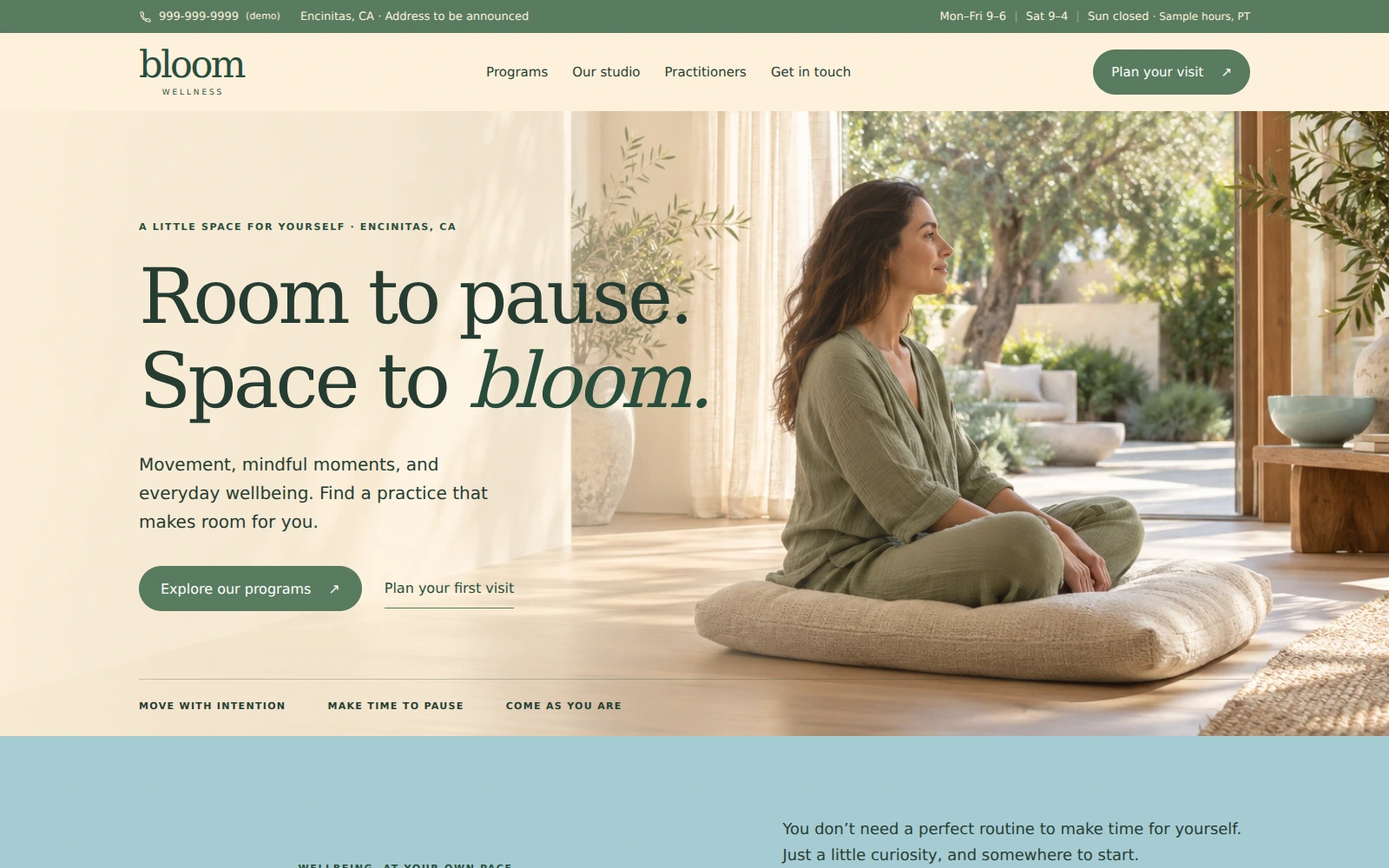
A welcoming wellness studio template with an easy-to-browse program menu, practitioner introductions, and a clear path toward a session inquiry.
About this template.
Bloom Wellness is a Bootstrap 5 landing page for wellness studios. Cream, sage, and soft blue create a calm setting for programs, practitioner introductions, and studio information, helping visitors find a starting point and inquire about a session.
Template features.
A clean technical foundation that is easy to edit, deploy, and hand off.
Included sections.
Sections are selected around the needs of a wellness studio so the page can be customized without rebuilding its structure.
- 01Pinned contact bar & mobile navigation
- 02Full-width photographic studio hero
- 03Welcome & studio approach
- 04Three program pathways
- 05Filterable program menu & sample prices
- 06Studio introduction & photography
- 07Two illustrative practitioner profiles
- 08Three-step first-visit guide
- 09Location, sample hours & contacts
- 10Inquiry form with reviewable email draft
- 11Numbered FAQs
- 12Footer, Privacy & Terms of Use
What’s included.
Editable source files—no proprietary page-builder lock-in.
Editable source files
index.html
Complete landing page and policy dialogsREADME.html
Self-contained editing and setup guideLICENSES.txt
Dependency and asset noticesassets/css/style.css
Brand styles and responsive layoutsassets/js/main.js
Menu, filters, validation, and email draftsassets/vendor/
Local Bootstrap CSS and JavaScriptassets/images/
Studio and illustrative practitioner photographs, plus favicon.svg
Technical details
- Framework
- Bootstrap 5
- HTML
- HTML5
- CSS
- CSS3
- JavaScript
- Vanilla JS
- Responsive
- Yes
- Build tools
- Not required
- Fonts
- System serif and sans-serif
- Documentation
- README.html
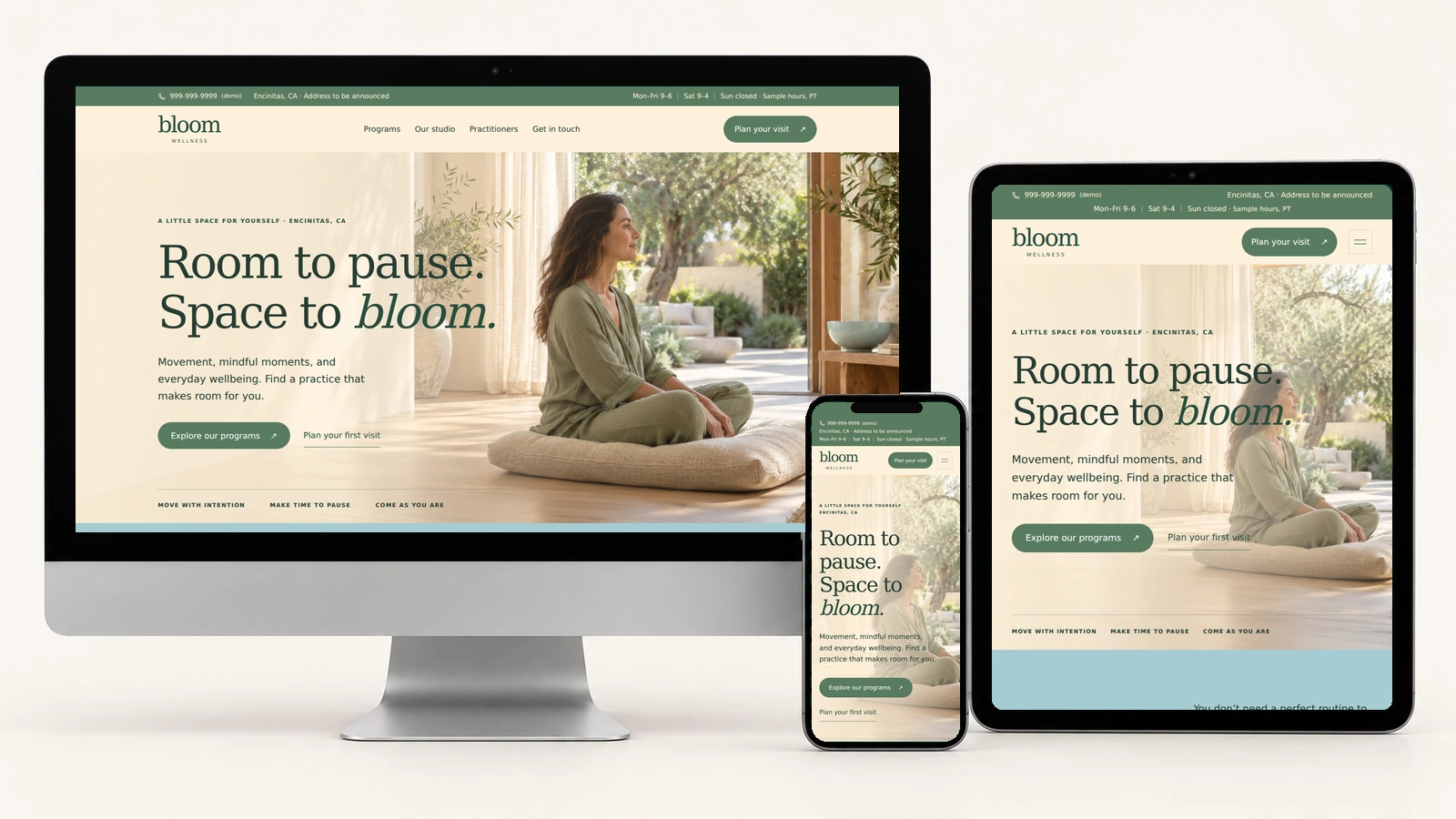
Your studio, on every screen.
Actual Bloom Wellness screenshots on desktop, tablet, and phone.
Easy to customize.
Swap in your logo, business name, contact details, imagery, programs, practitioner profiles, calls-to-action, fonts, and brand colors. The shared CSS structure keeps common visual changes centralized.
:root {
  --cream: #FDF1DB;
  --sand: #DFD5C6;
  --blue: #A6CBD3;
  --teal: #4F8FA8;
  --sage: #96AB88;
  --green: #597B60;
}Perfect for.
License.
Review PixelToWeb’s licensing information before purchasing, including permitted site and client use and restrictions on redistributing or reselling the source files.
Review licensing informationDocumentation & support.
The included README.html explains editing programs, practitioner profiles, categories, colors, contact details, hours, the pinned contact bar, FAQs, and policy text. It also covers the recipient and timezone settings, email drafts, clipboard fallback, and the launch checklist.
For questions about the template or available support, contact PixelToWeb before purchasing.
Make it your wellness studio.
Add your studio details.
Replace the placeholder address, phone, example email, hours, and illustrative photographs. Replace the fictional practitioner profiles and update program descriptions and sample session prices; these are separate from the $27 template purchase price.
Set up session inquiries.
Set your recipient and business timezone. The form prepares a draft for visitors to review and send from their email app. It does not send automatically, check live availability, take payment, or confirm appointments.
Check before publishing.
Review your FAQs and policies, then try the filters, program and practitioner links, draft, copy, and Reset controls. Check your photos and contact details on desktop, tablet, and phone.
Launch with
Bloom Wellness.
Preview the complete demo, then use the editable source files as the starting point for your next business website.